Day 2 – Grids & Iterative Patterns
// # "todo add drawing & description of initial idea (nested boxes)"
Grid
I started by creating an grid of simple boxes. In addition, I wanted to have a flexibale and easy to play around with grid layout system, so I invested some time in making it easy to change the number of tiles in x and y direction, as well as the margin between the tiles.
const NUM_TILES_X = 10;
const NUM_TILES_Y = 7;
const TILE_MARGIN = 2;

const TILE_SIZE = PAGE_CONTENT_WIDTH / NUM_TILES_X - 2 * TILE_MARGIN;
const TILE_SIZE_WITH_MARGIN = TILE_SIZE + 2 * TILE_MARGIN;

function draw() {
  clear();
  stroke(255, 255, 255);
  strokeWeight(1);
  noFill();

  for (let x = 0; x < NUM_TILES_X; x++) {
    for (let y = 0; y < NUM_TILES_Y; y++) {
      const x0 = TILE_MARGIN + x * TILE_SIZE_WITH_MARGIN;
      const y0 = TILE_MARGIN + y * TILE_SIZE_WITH_MARGIN;

      rect(x0, y0, TILE_SIZE, TILE_SIZE);
    }
  }
}
After that, I tried to do a simple rotation and some animation of the otation
// # "todo: describe roation was a pain"
Waves of rotation
An interesting effect appeared when I started to offset the initial rotation of each box based on their x and y position and also offsetting the ration anchor within the box away from the center.
Tuned just right, this creates the impression of a wave-like motion, even though all the boxes are just rotating.
Entropy Mosaic
Playing around with the rotation-rate based on the x and y position of the box resulted in a – I think – cool pattern.
The boxes slowly get more and more chaotic, creating interesting patterns along the way, until they are completely random. However, after some time, new patters start emerging again, until the boxes are back in their original state (this takes a very long time tough).
This reminded me of the concept of entropy from physics, which is the measure of disorder in a system. The entropy of the boxes is at its lowest when they are in their original state, and at its highest when they are completely random.
Nested boxes
The algorithm for drawing nested boxes
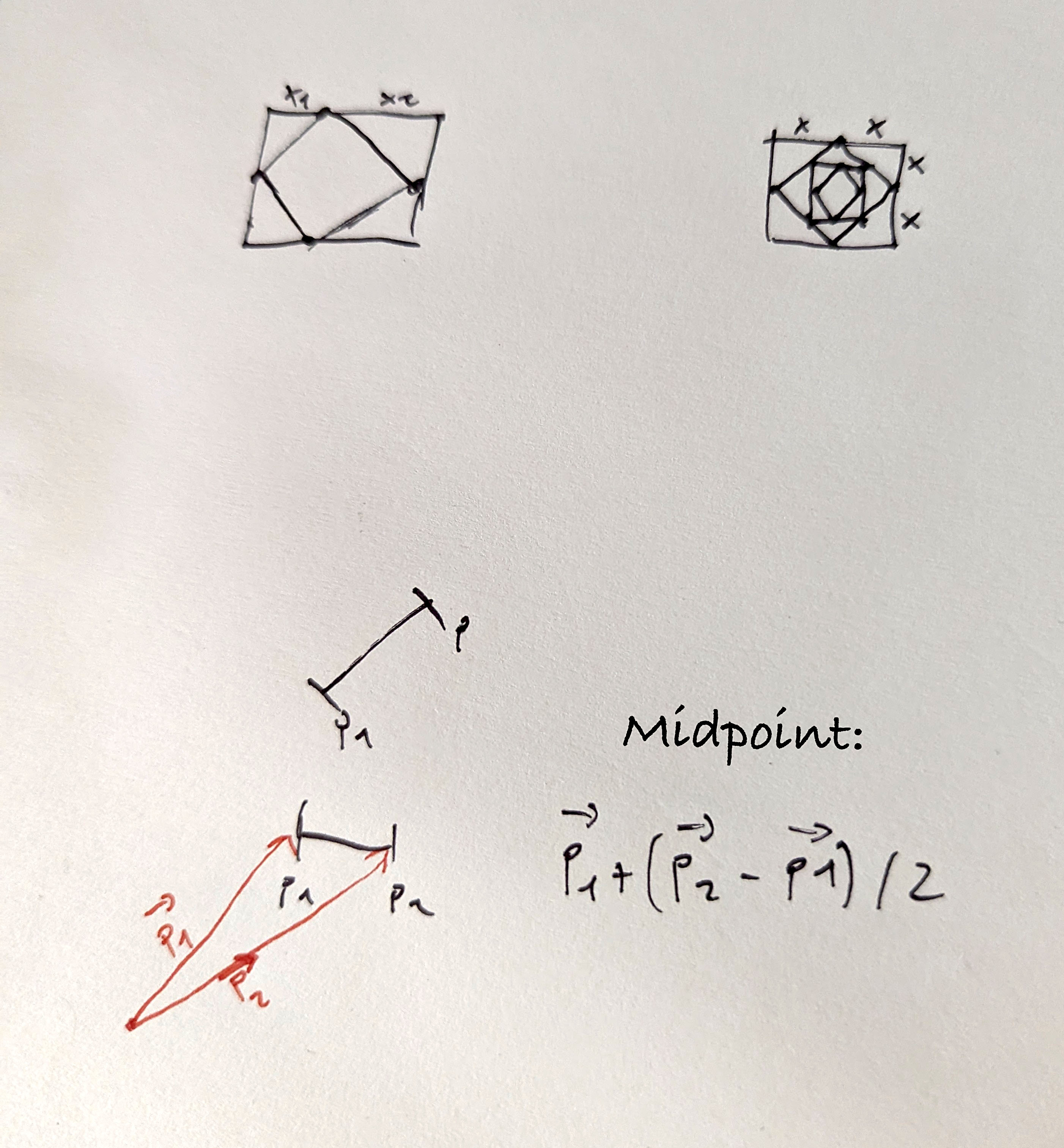
interface Point {
  x: number;
  y: number;
}

type Box = [Point, Point, Point, Point];

function getOuterBox(size: number): Box {
  return [
    { x: 0, y: 0 },
    { x: size, y: 0 },
    { x: size, y: size },
    { x: 0, y: size },
  ];
}

function getNestedBox(outer: Box): Box {
  const [p1, p2, p3, p4] = outer;

  return [
    getMidPoint(p1, p2),
    getMidPoint(p2, p3),
    getMidPoint(p3, p4),
    getMidPoint(p4, p1),
  ];
}

function getMidPoint(p1: Point, p2: Point): Point {
  const v1 = vec2.fromValues(p1.x, p1.y);
  const v2 = vec2.fromValues(p2.x, p2.y);

  const res = vec2.create();

  // v1 + ((v2 - v1) / 2)
  vec2.subtract(res, v2, v1);
  vec2.scale(res, res, 0.5);
  vec2.add(res, res, v1);

  return { x: res[0], y: res[1] };
}

// p5js draw
function draw() {
  clear();
  stroke(255, 255, 255);
  strokeWeight(1);
  noFill();

  const outerBox = getOuterBox(180);

  const boxes: Box[] = [outerBox];

  for (let i = 1; i < 10; i++) {
    const lastBox = boxes[i - 1]!;
    boxes.push(getNestedBox(lastBox));
  }

  for (const box of boxes) {
    quad(
      box[0].x,
      box[0].y,
      box[1].x,
      box[1].y,
      box[2].x,
      box[2].y,
      box[3].x,
      box[3].y,
    );
  }
}
Building grids with nested boxes & animation
Fazit des Tages
Den heutige Tag fand ich persönlich extrem spannend! Allerdings habe ich mich etwas rumexperimentieren verloren, anstatt meine ursprüngliche Idee zu verfolgen.